Honna Education
Honna Logo

Design That Move, Interface That
Speak

Master in
Animation,
Visual
Effect,
Design, UX

Kids with STEM project
Equipping K–12 Learners to Build Visual Storytelling Skills through Pixel Studio course

Unlock your creative potential with our comprehensive courses in Animation, Visual Effects, Graphic Design, and User Experience.Designed for students from Grade 1 to 12, our syllabus blends technology with artistic expression. Learn industry-relevant skills through hands-on projects and expert guidance. Transform your ideas into stunning digital creations with us!

Animation

Why Animation?

Animation is a powerful way for kids to bring their imagination to life. Beyond just fun, animation teaches essential skills such as:
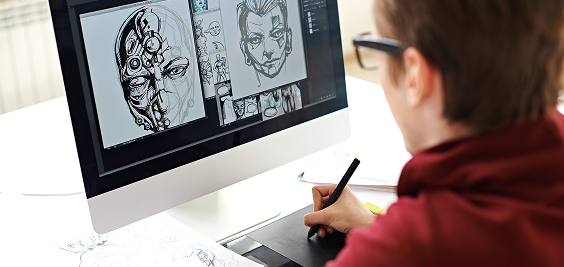
  • Visual storytelling and creativity
  • Basic principles of design and motion
  • Problem-solving and logical sequencing
  • Digital literacy and use of modern tools

By learning animation, children also develop patience, attention to detail, and collaborative skills that are essential for any future career in digital arts, film-making, gaming, or multimedia.

Animation example

Learn Animation with Our Comprehensive Syllabus

At Honna, we offer an engaging Animation course designed especially for students from Grade 1 through Grade 12. Our program combines creativity, technology, and storytelling to inspire young learners and develop their animation skills step-by-step, aligned with their age and understanding.

Syllabus Overview

Our syllabus is carefully structured across three progressive stages to suit the learning needs of different age groups

Grade
1-4

Introduction to Animation Basics

  • Understanding simple shapes and characters
  • Basics of sequencing and moving drawings
  • Hands-on activities using paper flip books and basic digital tools
  • Fun projects creating simple animations with colors and sounds

Grade
4-8

Intermediate Animation and Techniques

  • Introduction to 2D animation software and digital drawing tools
  • Learning principles of animation: timing, squash and stretch, anticipation
  • Frame-by-frame animation and character design
  • Mini-projects focusing on storyboarding and expressive visuals

Grade
8-10

Advanced Animation and Storytelling

  • Exploring 2D and 3D animation software tools
  • Creating complex characters, scenes, and backgrounds
  • Applying concepts of motion graphics and special effects
  • Portfolio-building and preparation for higher education or careers in animation
Animation

How We Teach

  • Hands-on LearningEvery lesson includes practical animation labs where students create projects step-by-step.
  • Creative ProjectsTailored assignments stimulate imagination and encourage self-expression.
  • Teacher SupportExperienced instructors guide students with personalized feedback.
  • Collaborative WorkshopsGroup activities foster teamwork and peer learning.
  • Flexible Learning OptionsAccess to both online resources and classroom sessions to accommodate all learners.
Animation Tools

Tools & Technology

Students will get exposure to age-appropriate tools such as:
  • Paper and digital sketchpads
  • Simple animation apps for younger kids (e.g., FlipaClip, Toontastic)
  • Professional software for older students like Adobe Animate, Blender, and Krita
  • Tablets and drawing pads for a smooth digital drawing experience

We continuously update our curriculum with the latest technology trends to keep students future-ready.

Why Choose Honna for Animation?

icon-0

Integrated approach combining robotics and animationfor a multidisciplinary experience

icon-1

Experienced educators with industry knowledge

icon-2

Focus on building foundational skills and advanced techniques progressively

icon-3

Opportunities to showcase student workin exhibitions and competitions